|
Exhange Rates
|
 
|
|
Exhange Rates
|
|
Exchange Rates
Exchange Rate
Variances The system
considers 2 types of variance: 1.
Exchange Rate Variance 2. Exchange Rate Revaluation 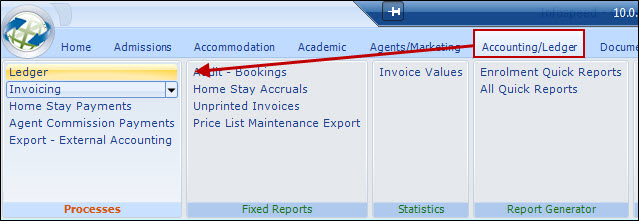
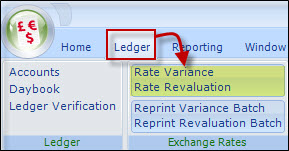
If you are not familiar with the
effects of exchange rate variances, and the need to account for them, you should
discuss this aspect of the system with your accounting prior to
proceeding.
The variance is a result of the exchange rate
used for calculating invoice/credits being different from the exchange
rate used for the receipt.
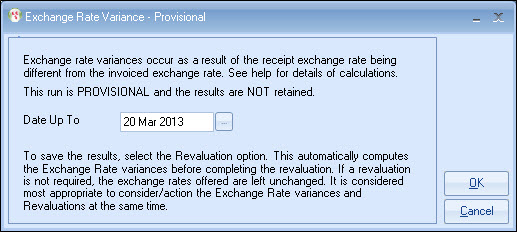
Example:
Invoice $1500 @ 1.50 =
£1000
Receipt $1500 @ 1.40 = £1071.43 (a gain of £71.43)
There
is no ($) debt left after the receipt but there is a balance when converted to
base (£71.43), this balance needs to be written off.
Unprinted/proforma items
are not included in any calculation.
The
variance is a result of revaluing, in effect, the outstanding foreign currency
transactions at a new exchange rate.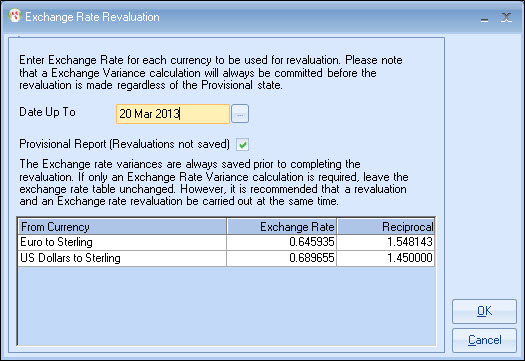
What are the benefits of using
the system?
Users can enter
receipts using daily commercial exchange rates rather than system rates,
which may not be representative of the true situation.
Example:
Student owes
£1000 but wishes to pay in US$.
Using system rate: $1400 @ 0.7 =
£980
Using a commercial rate: $1400 @ 0.68 = £952
At a minimum, revaluations are necessary for year-end purposes, but users are recommended to consider completing a revaluation at each accounting period end.
Can this part of the system be
switched off?
Yes, but if you use the nominal
ledger posting reports in your base currency, for accounting purposes, you will
not be able to balance your "ledger debtors" in your nominal ledger if you
revalue you accounting records but not Class!
Exchange rate variances can only occur on foreign
currency accounts.
Computing Exchange Rate Variances
This can
be done by the system automatically and it is recommended that the "Exchange
Rate Variance" run and the "Revaluation" run are done together at the end of
each accounting period by simply selecting the Revaluation
option.
This will always calculate and record the Exchange Rate
Variances regardless of whether the Revaluation run is provisional or not.
You can process the "Variance" run separately but it is
only Provisional
and does not write away the information.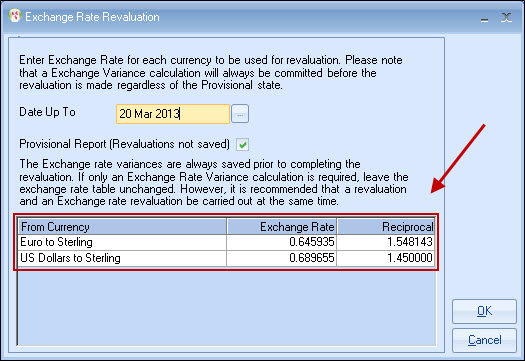
There is no need to a "provisional" run once you are
familiar with the process.
It is important to note that the Variance part of
the Revaluation run will always be committed even if "provisional" is
ticked.
A transaction for both types of variance is created for
each account.
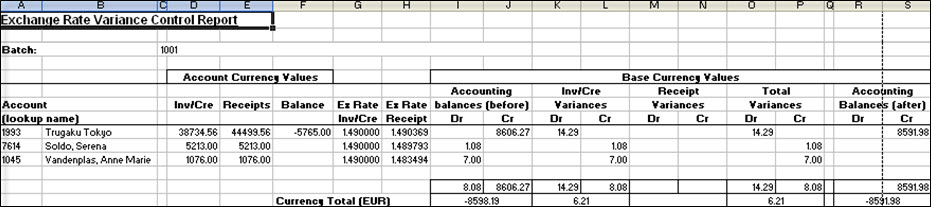
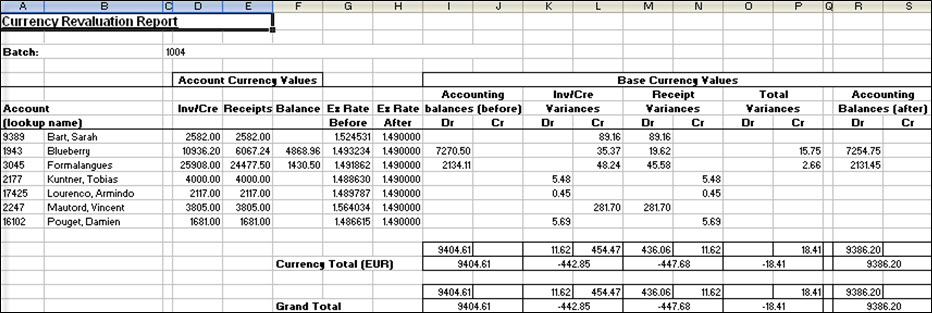
Excel reports are produced showing the variances.
The values
are included in the Nominal Analyses for the period.
Accounting
Issue :
It is suggested
that the 2 variances are recorded under a single heading within the accounts, as
splitting them has little value.
Exchange Rate Variance Report
Revaluation Report
Reprint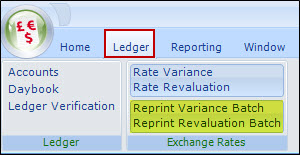
Select a report for reprint and enter the batch
number.
Batch numbers are shown against exchange rate
transactions.
Copyright 2013
Infospeed Limited